Bangkok, thailand
13:44 GMT+7
All Projects
B2B
Redesign
Dashboard
SaaS
Web
Legal Workflow UX for Divorce
Step-based platform simplifying paperwork and communication
Context
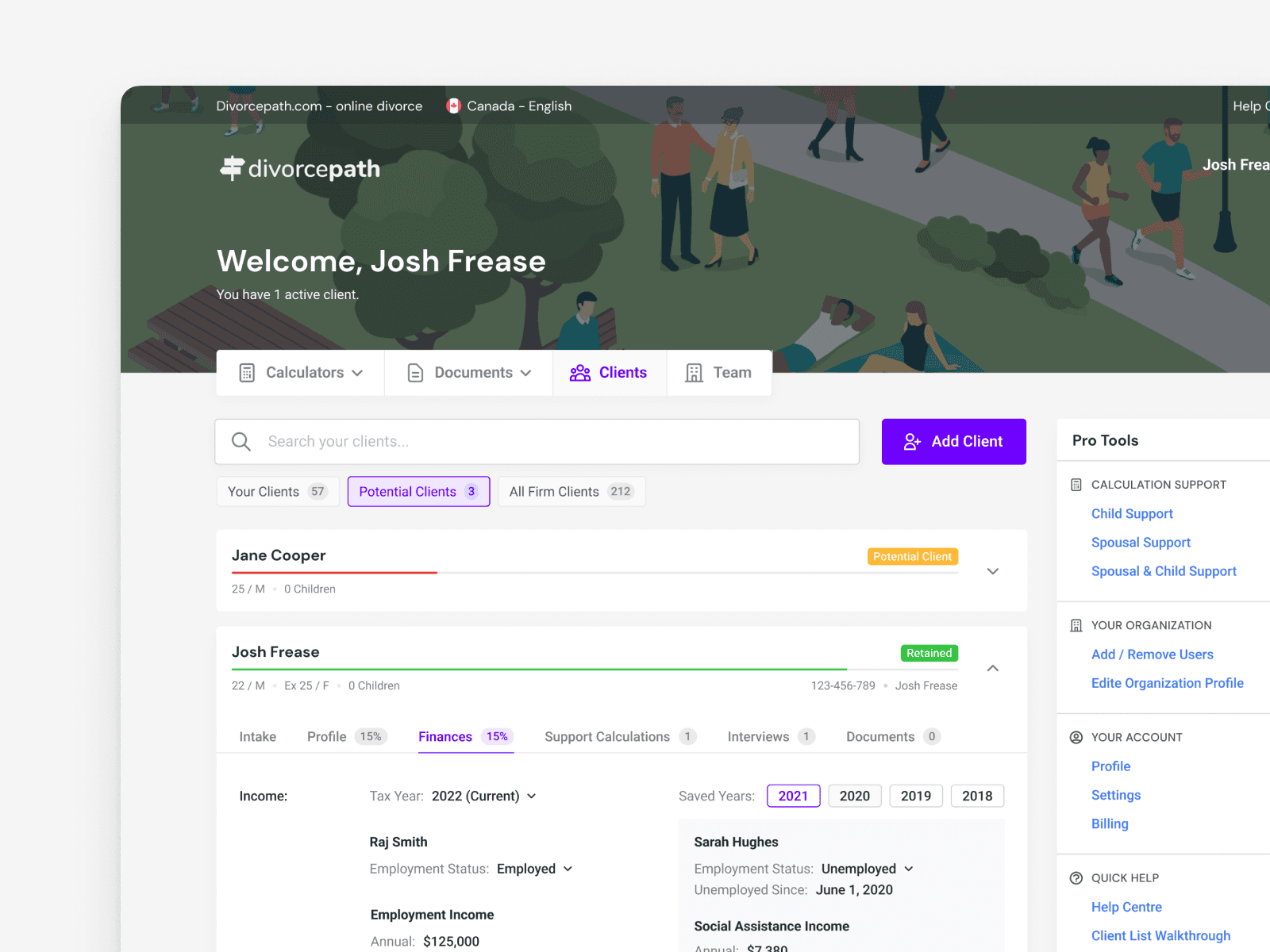
Legal proceedings around divorce involve large amounts of scattered information, detailed financial calculations, and sensitive communication between lawyers and clients. Traditional tools often force professionals to switch between multiple systems, leading to inefficiencies and frustration.
DivorcePath was conceptualized as a centralized platform that consolidates client data, supports automated financial interviews, and provides calculators and tools for estimating support and generating court-ready documents — all through an intuitive, UX-focused interface.
My Role
In this project, I led the UX/UI design with a focus on:
Identifying key user problems faced by legal p
rofessionals and their clients
Designing an accessible and efficient interface for complex legal workflows
Structuring features around clarity, context, and ease of use
Supporting collaborative and client-centric interactions
The work was driven by the need to create not just screens, but a holistic legal workflow experience.
Problem
Legal professionals and their clients typically encounter:
Scattered information — Data stored across multiple systems, leading to lost context and inefficiencies.
Tedious data collection — Traditional interviews are time-consuming and stressful for clients and lawyers alike.
Financial uncertainty — Clients often lack clarity on divorce costs, creating anxiety and hindering informed decisions.
Limited engagement — Poor communication tools leave clients feeling uninformed and disconnected.
Team collaboration hurdles — Sharing case files and coordinating work is cumbersome without smooth tools.
These challenges made legal workflows inefficient and stressful for both professionals and clients.
Solution
To address these issues, the design focused on key features that improve clarity, efficiency, and communication:
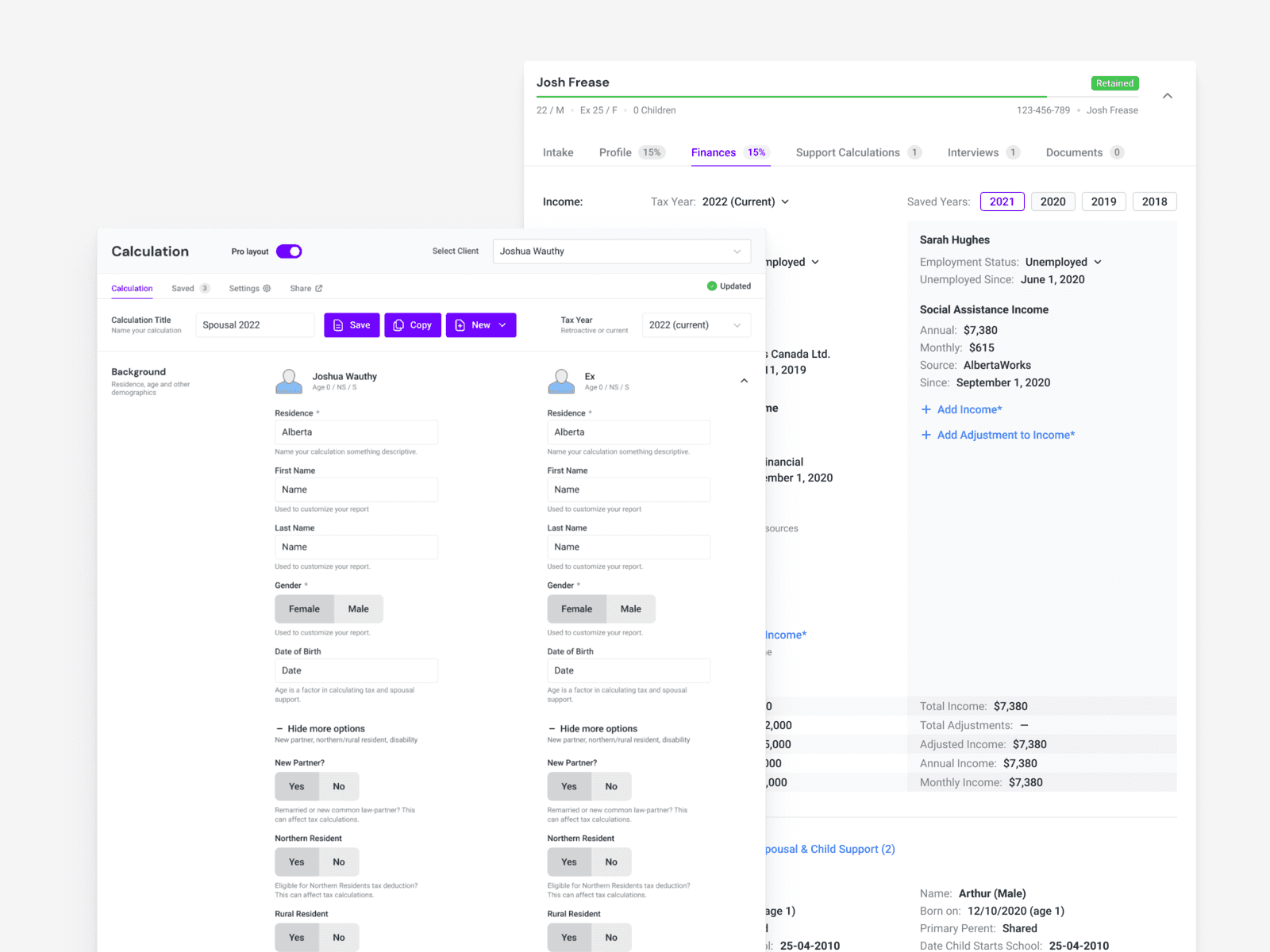
Centralized Client Profiles
All client information — from interview results to generated documents — is stored in one secure, easily accessible location. This reduces context switching and ensures consistency.
Automated Financial Interview
Clients can complete financial interviews online, reducing manual workload and minimizing stress. The flow is designed to be self-guided and respectful of user needs.
Spousal Support Calculator
Embedded calculators help clients and professionals estimate potential costs, fostering financial clarity and informed decision-making.
Secure Communication Channels
Online portals and automated updates help keep clients informed and engaged throughout the process.
Team Collaboration Tools
Internal tools support coordination between legal team members, with shared access to case files and task tracking.
City Directory Profiles
Interactive profiles help law firms showcase expertise and attract new clients through searchable listings.
Word Add-In Integration
A plugin for Microsoft Word allows users to generate and edit legal documents directly in a familiar environment, boosting confidence and efficiency.
Result
DivorcePath is more than a tool — it’s a collaborative legal ecosystem designed to simplify divorce proceedings by prioritizing user experience, clear workflows, and accessible functionality.
This project reinforced the importance of:
User research and iterative design
Structuring complex legal workflows into clear, usable interfaces
Designing for both legal professionals and their clients
Creating tools that reduce friction and emotional strain in sensitive processes